implementation
What is implementation?
Implementation is the execution or practice of a plan, a method or any design, idea, model, specification, standard or policy for doing something. As such, implementation is the action that must follow any preliminary thinking for something to actually happen.
In an information technology (IT) context, the definition of implementation encompasses the processes that happen after the customer buys the product to get it operating properly. These processes include the following:
- analyzing requirements
- installation
- configuration
- customization
- testing
- running
- systems integrations
- user training
- delivery
- making changes
The word deployment is often used as a synonym for implementation.
Industry-specific definitions
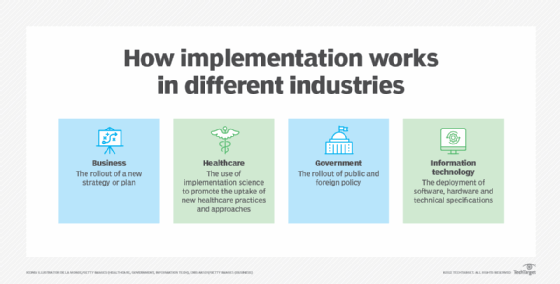
Implementation can mean different things in different industries where goals and supporting actions vary. The following are some examples:
Computer science and IT. In IT, the word implementation usually refers to installing a new hardware or software system or application. It can also mean the inclusion of a specific technical specification, software component or software standard. For example, software development tools contain implementations of a programming language.
Government. Here, implementation is used to refer to the rollout and execution of laws and public policies. A legislature will pass a law, and the responsible agencies will then carry it out or implement it. An example is the 2021 launch of the implementation of the United Kingdom's 10-year genomics plan to create the world's most advanced genomics healthcare system.
Business. In business, various types of business plans and initiatives get implemented. A business implementation plan is a set of steps followed to achieve certain business objectives.
Social or health sciences. In these areas, implementation refers to putting a program into practice. Specific steps are usually followed as part of an implementation. An example would be the implementation of a recovery plan for a city that has suffered a natural disaster. Another would be deploying a system to deliver COVID-19 vaccines to the public.
Implementation also is embodied in the term implementation science, which is used in healthcare research to encourage the systematic uptake of research results and evidence-based practices. Implementation science ensures that research enhances healthcare overall and improves public health policy. It uses both quantitative and qualitative methods to generate evidence-based interventions in healthcare.
What is an implementation plan and why is it important?
An implementation plan is a project management tool that outlines the steps to achieve a goal or objective. The plan sets the course for implementation, taking a project from an idea to realized goals. It is a form of documentation and may come as part of a service-level agreement (SLA). An SLA describes the services and delivery terms a vendor will provide for a client.
Implementation plans may differ depending on the product, but they generally include the following elements:
- Goal. This is the end result a project aims to achieve.
- Objectives. These steps, activities and milestones must be achieved to reach the goal.
- Success criteria. Stakeholders, project managers and policymakers use this criteria to determine a project is complete and satisfactory.
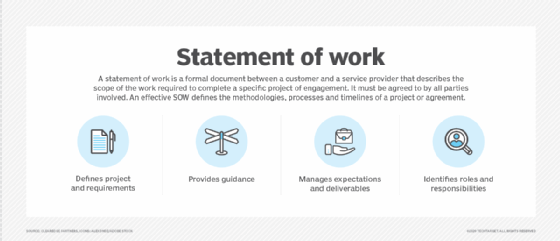
- Scope statement. The project scope outlines project boundaries and explains what the team will or will not do. A statement of work document is often used to define the project scope.
- Resource plan. This outlines what the team will need to carry out implementation.
- Risk analysis. Implementation teams use risk analysis to identify potential problems.
- Timeline. A timeline lists targeted completion times and deadlines for each milestone. Project management tools like a Gantt chart can help render this.
- Roles and responsibilities. A description of team roles and responsibilities of all team members and stakeholders.
8 steps to building an implementation plan
For a successful implementation process, many tasks must be accomplished in sequence, often by a variety of people and departments. Various methodologies are available to guide the process. In IT, implementation stages usually follow these steps:
- Contract negotiation. The customer and vendor agree in writing to guidelines, deadlines and a payment schedule. These requirements provide an outline of the implementation process so the customer can hold the vendor accountable. They often cover system performance criteria, documentation, training, issue resolution requirements, penalties related to issues and delays, and vendor support after the system goes live.
- Key players. Stakeholders and players should be identified early in the implementation process. The main players often include the IT team, top business executives and the sales teams. An organization may appoint a program manager who has experience in the technical aspects of the project and project management to oversee the implementation process. Software deployment often involves people such as business analysts, solutions architects and technical analysts.
- Timeline and scope. After a contract is agreed to, a project timeline is established. Key business units meet to discuss the scope of the project and set the key deadlines.
- Goal definition. Each department should agree on quantifiable, well-defined project goals and what they hope to gain from using the new technology. The company's goals must be measurable to judge system success after implementation, and it should identify metrics to do that. This might require engaging a third party or internal auditor to evaluate business processes and diagnose problem areas, inefficiencies and conformance to agreed-upon procedures.
- Continuous improvement. Once goals are established, the organization should develop a plan for monitoring and improving the progress of the implementation and the business processes involved. In Agile project management, this process is known as continuous improvement. Key players meet regularly to discuss the project's progress, voice concerns and change procedures as necessary to ensure sustainability of the project.
- Testing. The system is tested as the project is implemented. A pilot program may be run, where a small group runs the system as for a finite time period. Typically, a subsection of tech-savvy workers is enlisted to try the new system in a real-world setting and identify problems.
- Training. After testing is complete, users are trained on the new system before or as it goes live.
- Review. Once deployed and in use, companies typically review the entire implementation process, verify that all tasks were completed and assess the process.
Importance of end users in IT implementations
In IT, effective implementations must be designed with the end user in mind. If users participate in system design and implementation, this increases the likelihood it will serve their business objectives better and reflect their priorities and work preferences.
Users can participate in system design and implementation through user acceptance testing, where users test the system and provide feedback before it goes live. User involvement in the process also makes them more receptive to changes that result from the test's findings because they had a hand in determining how a given system or piece of software needs to be changed.

There is often a communications gap between users and designers. Users have wants and needs that they hope to get from the system, while designers and IT staff must consider various restrictions, efficiencies and database management principles and limitations. Sometimes practical restrictions limit the possibility of meeting all user requirements for a system. Developers may also incorrectly anticipate user needs and design the system in ways that don't work for users.
Common problems in IT implementations
Implementation efforts are a change in a company's existing technological architecture, so it is common for implementation processes to encounter problems both before and after the system goes live. To address some of these issues, companies should maintain close relationships with vendors and consultants. They can help fix issues as they happen.
Common problems that arise during implementations include the following:
- missed deadlines;
- going over budget;
- underestimating hours required of staff;
- running into unexpected delays;
- issues with external partners; and
- withdrawal of support from key stakeholders.
Customer experience (CX) must be considered in IT implementation. Providing a good CX requires following an appropriate implementation strategy. Learn six steps to implementing a strong CX strategy.