client-server

What is client-server?
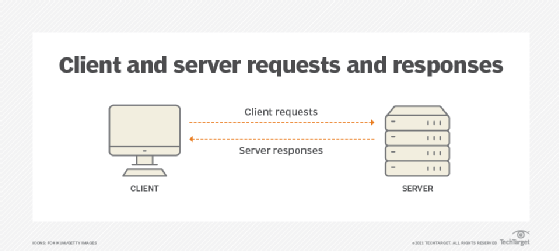
Client-server is a relationship in which one program, the client, requests a service or resource from another program, the server. The label client-server was previously used to distinguish distributed computing by PCs from the monolithic, centralized computing model used by mainframes.
Today, computer transactions in which the server fulfills a request made by a client are very common. The client-server model has become one of the central ideas of network computing. In this context, the client establishes a connection to the server over a LAN or WAN, such as the internet.
Once the server fulfils the client's request, the connection terminates. Because multiple client programs share the services of the same server program, a special server called a daemon might activate to await client requests.
In the early days of the internet, most network traffic traveled through what is known as north-south traffic. This is when data moves between remote clients that request web content and data center servers that provide the content. Today, with the maturity of virtualization and cloud computing, network traffic is more likely to flow server-to-server -- a pattern known as east-west traffic.
This has changed the focus of network administration from a centralized security model designed to protect the network perimeter to a decentralized security model that controls individual user access to services and data. Network professionals also audit network behavior to ensure compliance with policies and regulations.
Advantages and disadvantages of the client-server model
An important advantage of the client-server model is that its centralized architecture makes it easier to protect data with access controls enforced by security policies. It also doesn't matter if the clients and the server exist on the same operating system because data transfers through platform-agnostic client-server protocols.
An important disadvantage of the client-server model is that if too many clients simultaneously request data, the server could become overloaded. This can cause network congestion or result in a denial of service.
Client-server protocols
Clients typically communicate with servers by using the TCP/IP protocol suite. TCP is a connection-oriented protocol, which means the protocol establishes and maintains connections until the application programs at each end have finished exchanging messages. TCP protocols help with the following:
- Determines how to break application data into packets.
- Sends packets to and accepts packets from the network layer.
- Manages traffic flow control.
- Handles retransmission of dropped or garbled packets.
- Acknowledges all packets that arrive in the network.
In the Open Systems Interconnection (OSI) communication model, TCP covers parts of Layer 4, the transport layer, and parts of Layer 5, the session layer.
By contrast IP is a connectionless protocol, which means endpoints don't continue to communicate following the initial transmission because there is no connection. The internet treats each packet that travels through the network as an independent unit of data without any relation to any other unit, while TCP organizes packets in the correct order. In the OSI communication model, IP is in Layer 3, the network layer.
Other program relationship models
Other program relationship models include peer-to-peer (P2P) and primary/secondary. In the P2P model, each node in the network can function as both a client and a server. In the primary/secondary model, the primary device or process controls one or more other secondary devices or processes. Once the network establishes the primary/secondary relationship, the direction of control is always from the primary to the secondary.
Editor's note: This article was republished in March 2023 to improve the reader experience.